
Did your product count in Google Merchant Center suddenly grow? You check and realize no new products were added. On my accounts, the product count jumped up to 9x. Don’t panic!

It turns out this is a global rollout of changes related to displaying products in multiple countries from a single feed.
If your Google Merchant Center account was created a while ago, the default feed settings target a single country. As part of the changes enabling the use of one product data feed for multiple countries, Google implemented updates on older accounts as well. In Europe, this change took place August 11-13 — on some accounts it may have occurred later.
This is based on information I received from Google Merchant Center support:
As per the recent update, global feeds are implemented on the account as the present settings on the account are called Legacy settings.
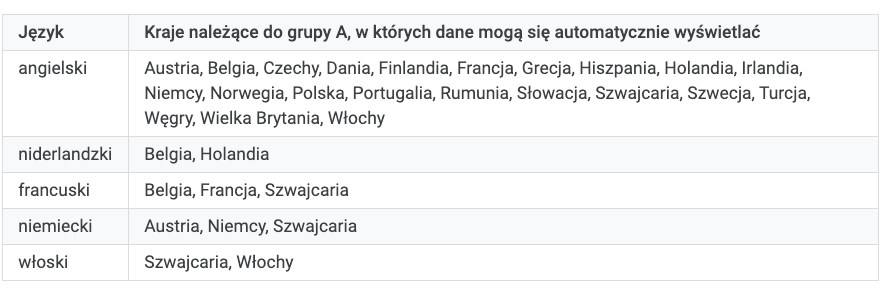
This means data submitted in certain countries in Europe may automatically show to other countries in Europe using the same language.
How to check this?
In the Diagnostics tab, select the country you’re interested in. For the EU, pick one where one of these languages is used: English, French, German, Italian.
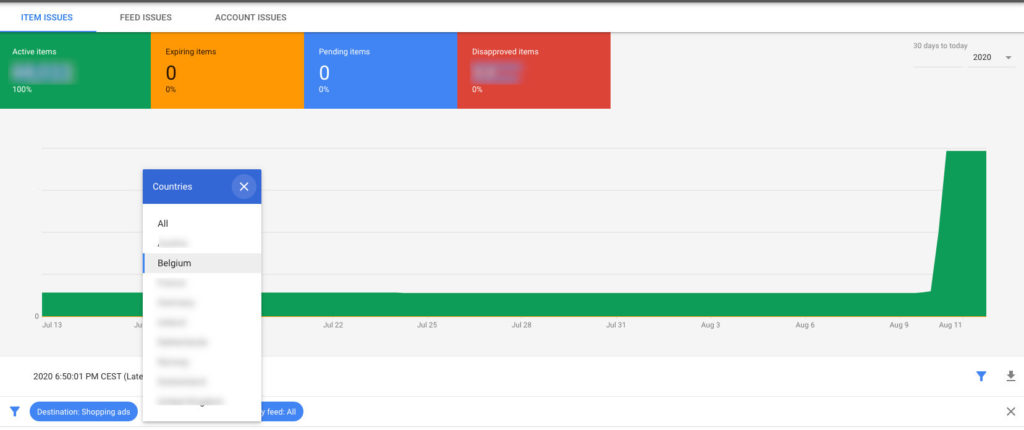
If you see a big spike in products over the last few days, you’re on the right track — if not, try another country. Then from the list, select the feed that corresponds to that country.
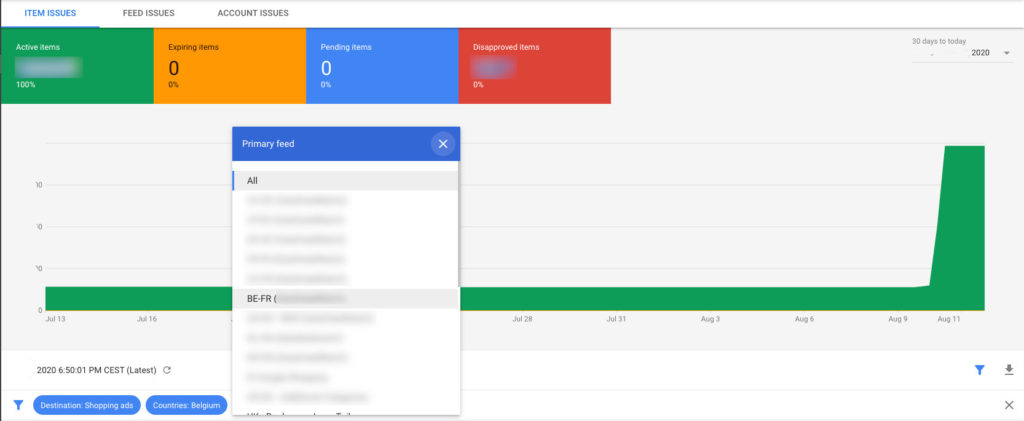
If after filtering by feed you don’t see a product increase, that’s good.
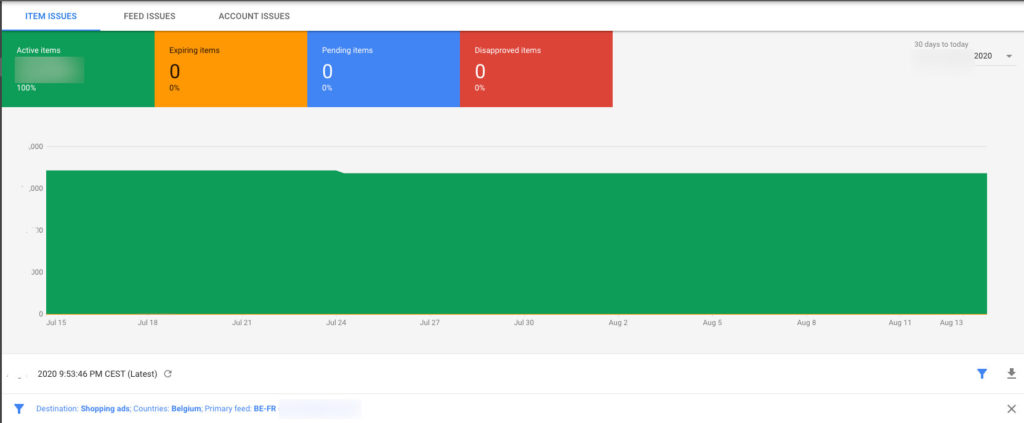
The difference between the total product count for a country and the count after filtering by the country-specific feed — that’s the products that came from another feed.
Filter by other feeds on your account. After a while, you’ll find the culprit — or even several. Below is an example of a German feed whose products started appearing for Belgium.
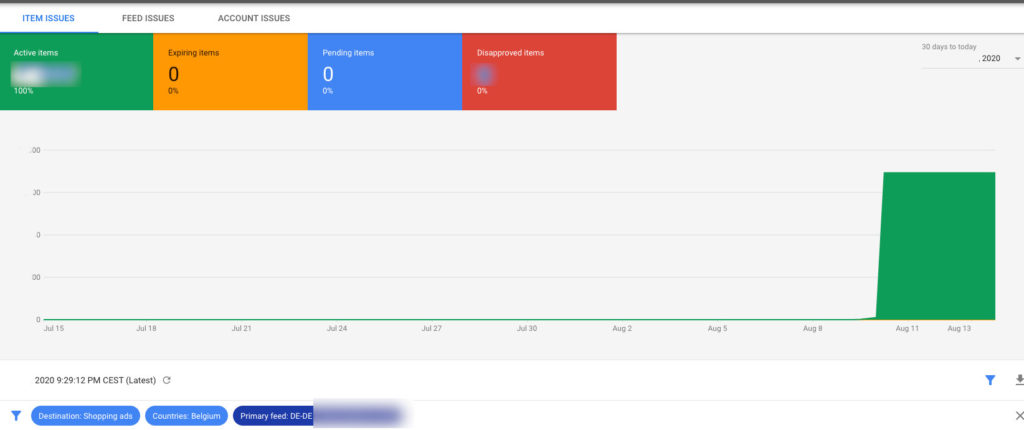
Example: If you advertise in Belgium, filter by country: Belgium and check the product count. Then add a feed filter and select the feed you created specifically for Belgium. The difference is products that came from, say, the French feed — because Belgium operates in French and Dutch. German feeds will also spill into Belgium.
All of Belgium: 300,000 products
Belgium + Belgian feed filter: 100,000 products
Difference: 200,000 products (possibly from French, German, or Dutch feeds)
What is multi-country feed support?
Let’s say a startup operates in German. In that case, you only need to create one German-language feed and you can use it in Google Ads campaigns targeting Germany and Austria — no need to create a separate feed for Austria.
This makes feed management easier because there are simply fewer feeds to maintain.
Product disapprovals
These changes will also cause more noise. According to information from GMC support, product disapprovals may occur in countries (which have different e-commerce regulations) where you’re not advertising at all.
This is an intended behaviour wherein the items will get multiplied based on the countries falling under the country grouping and you also see instances for disapprovals for countries the client is not targeting as well.
Feed > country control
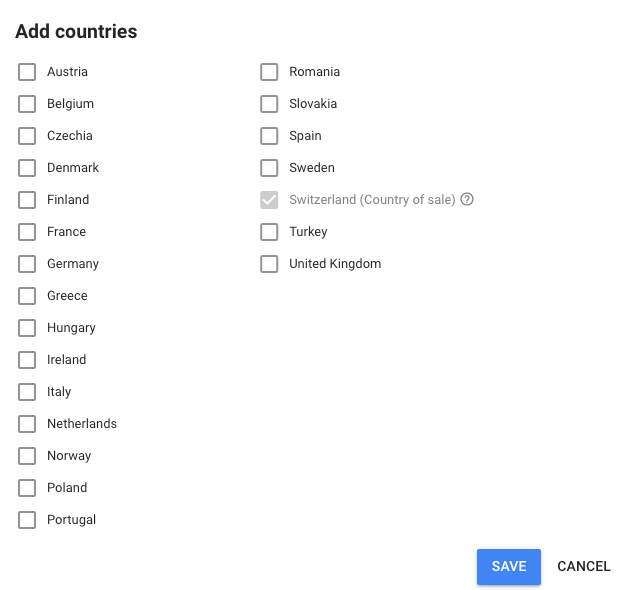
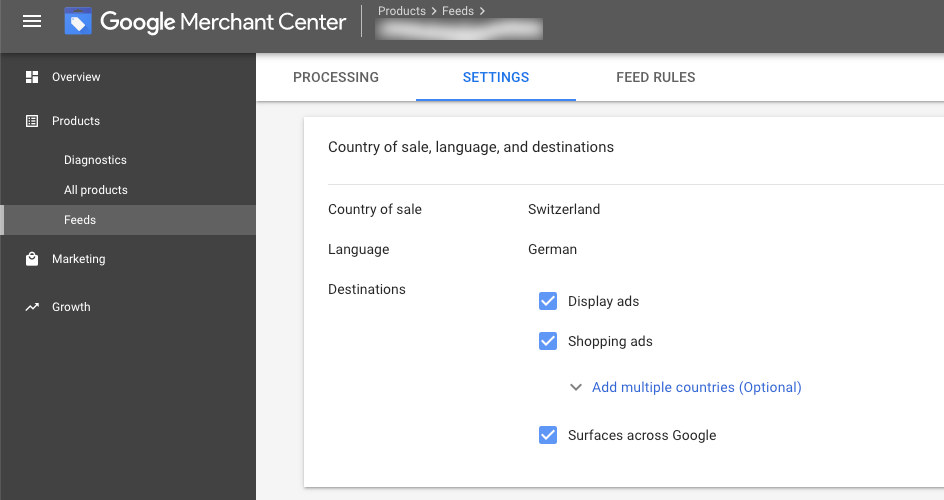
You can control which products go to which countries. Just go to the feed settings where you can select the countries you want the feed to cover.
How are countries grouped?
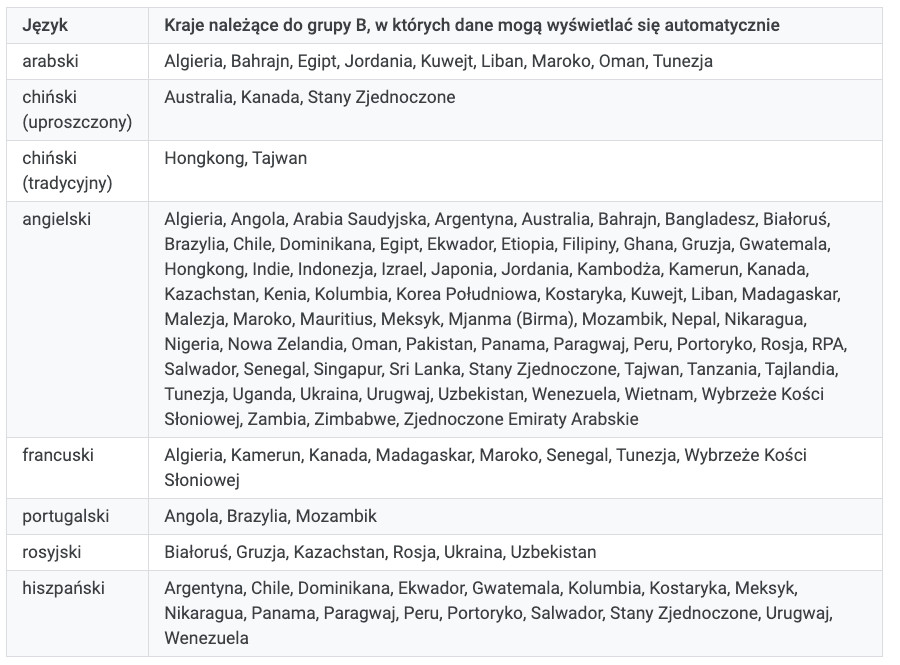
Countries in Google Merchant Center are grouped into:
- Group A countries
- Group B countries
Products tab
The “All products” tab doesn’t show these changes. For now, they’re only visible in Google Merchant Center Diagnostics.